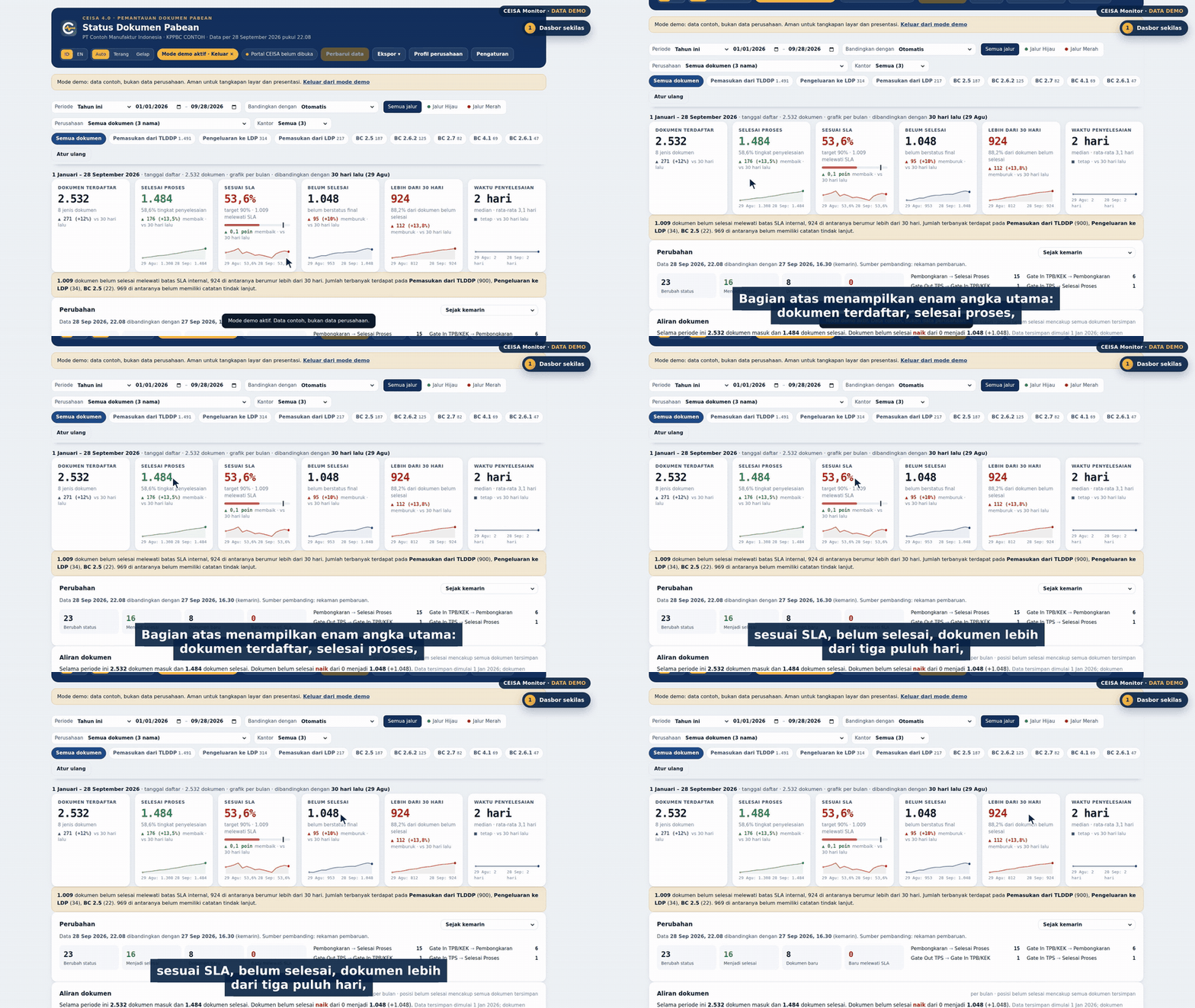
All screens use demo data.
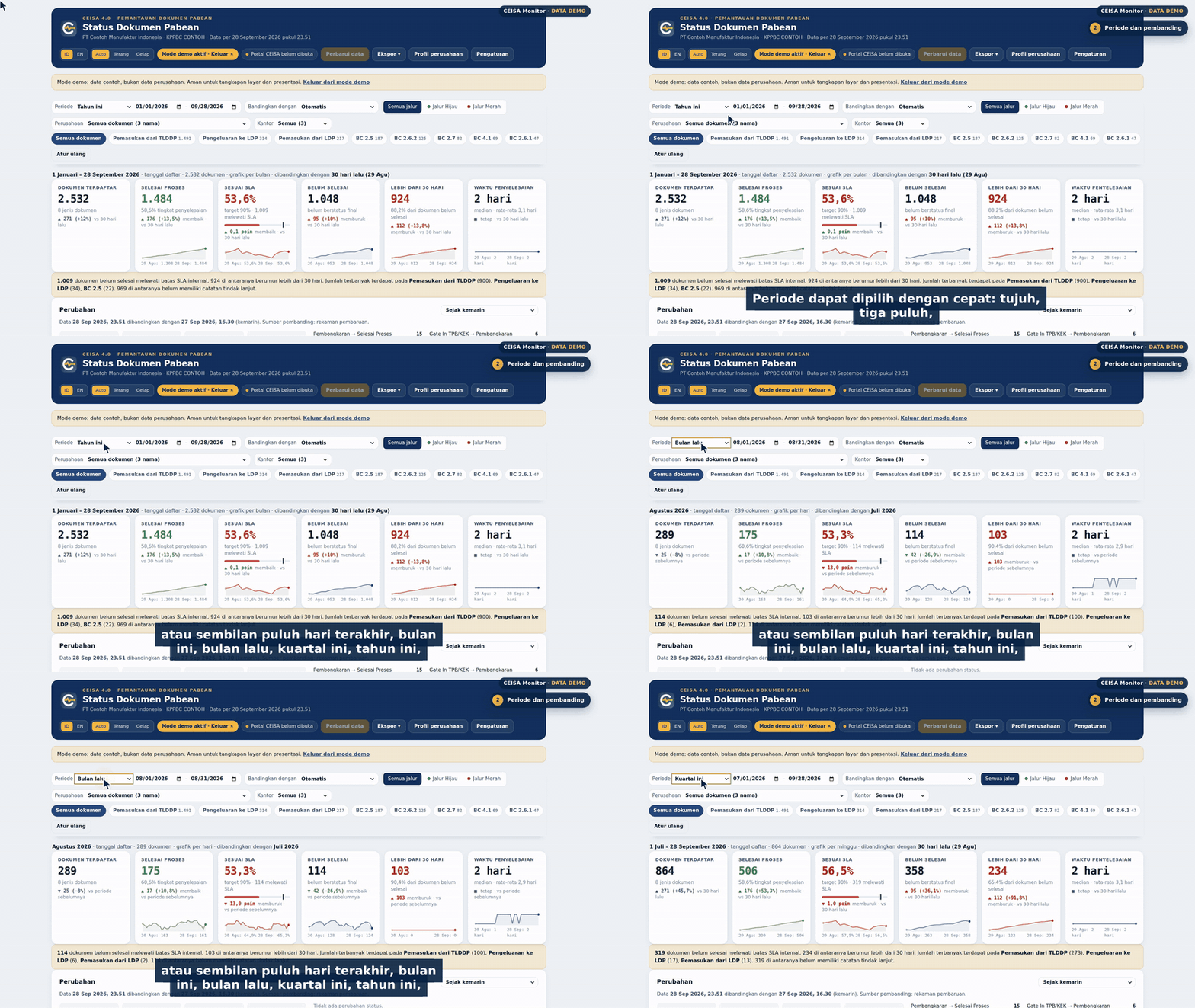
Periods and comparisons
All data in the portal including last year; 7/30/90 days, quarters or a custom range. Every figure is compared automatically.
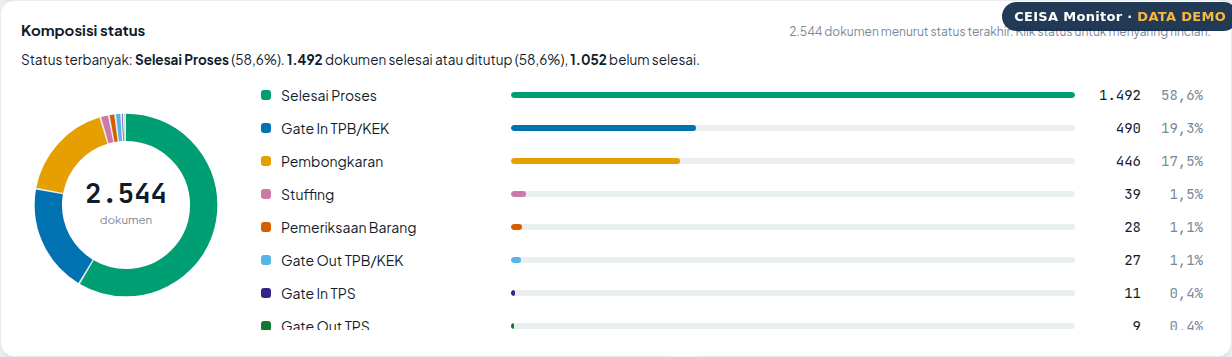
Status composition
A donut and status list with counts and percentages; click a status to filter the detail table.
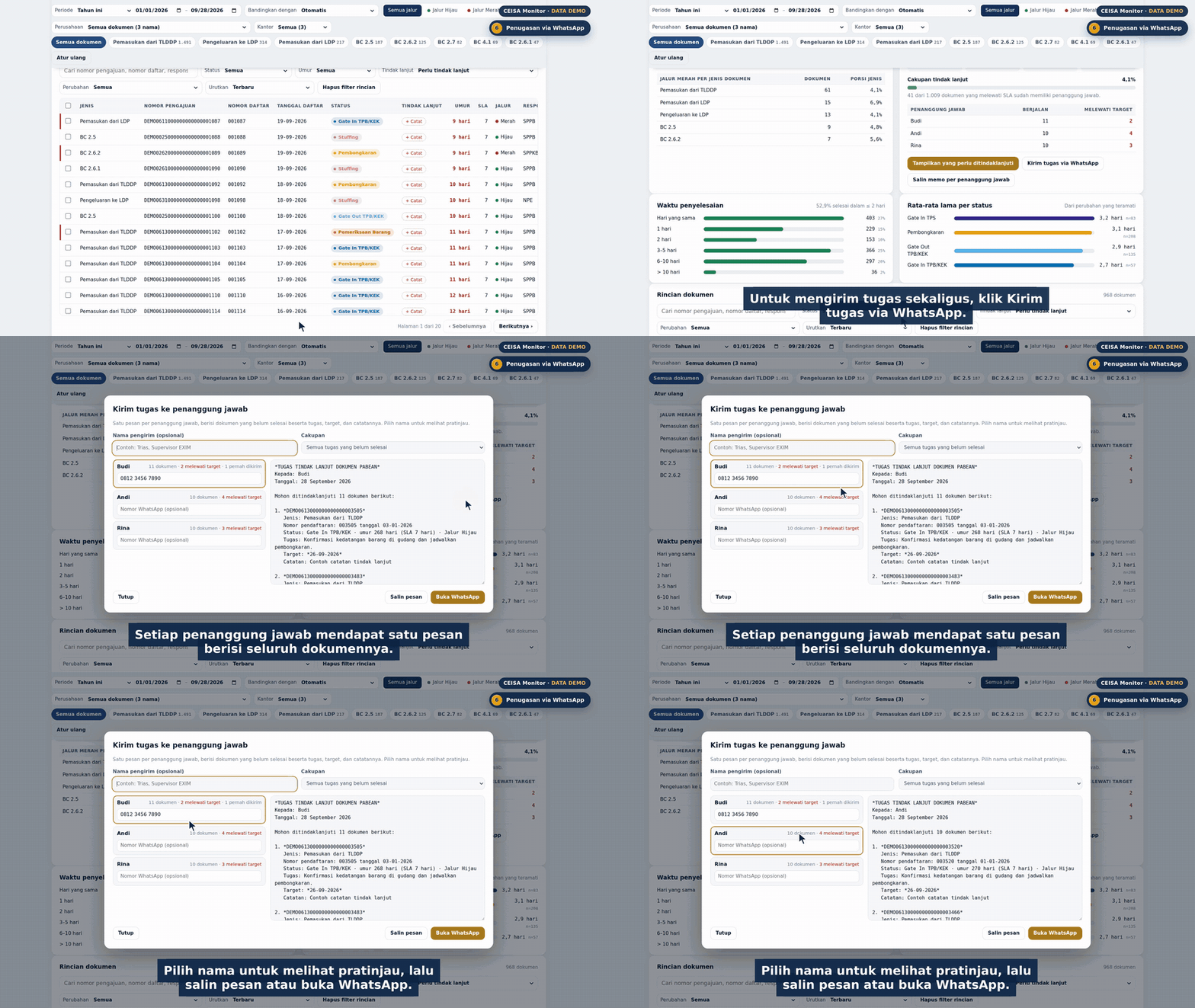
Assign via WhatsApp
Tasks per document and one ready-to-send message for each person in charge.
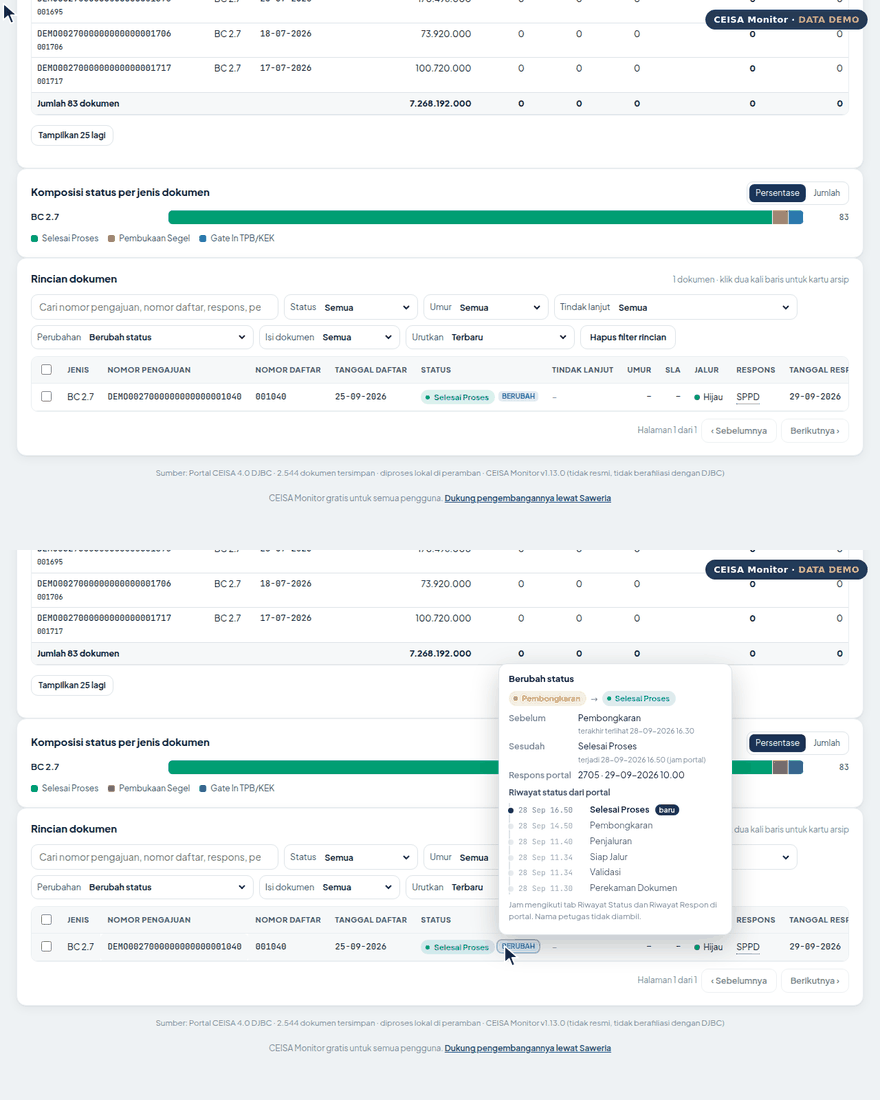
Status change detail
Before and after status, plus the portal's Status History and Response History with exact times, in the CHANGED popup.

Today card
Urgent actions in one list: overdue tasks, red-lane or inspected documents, newly past SLA, and documents with no owner.
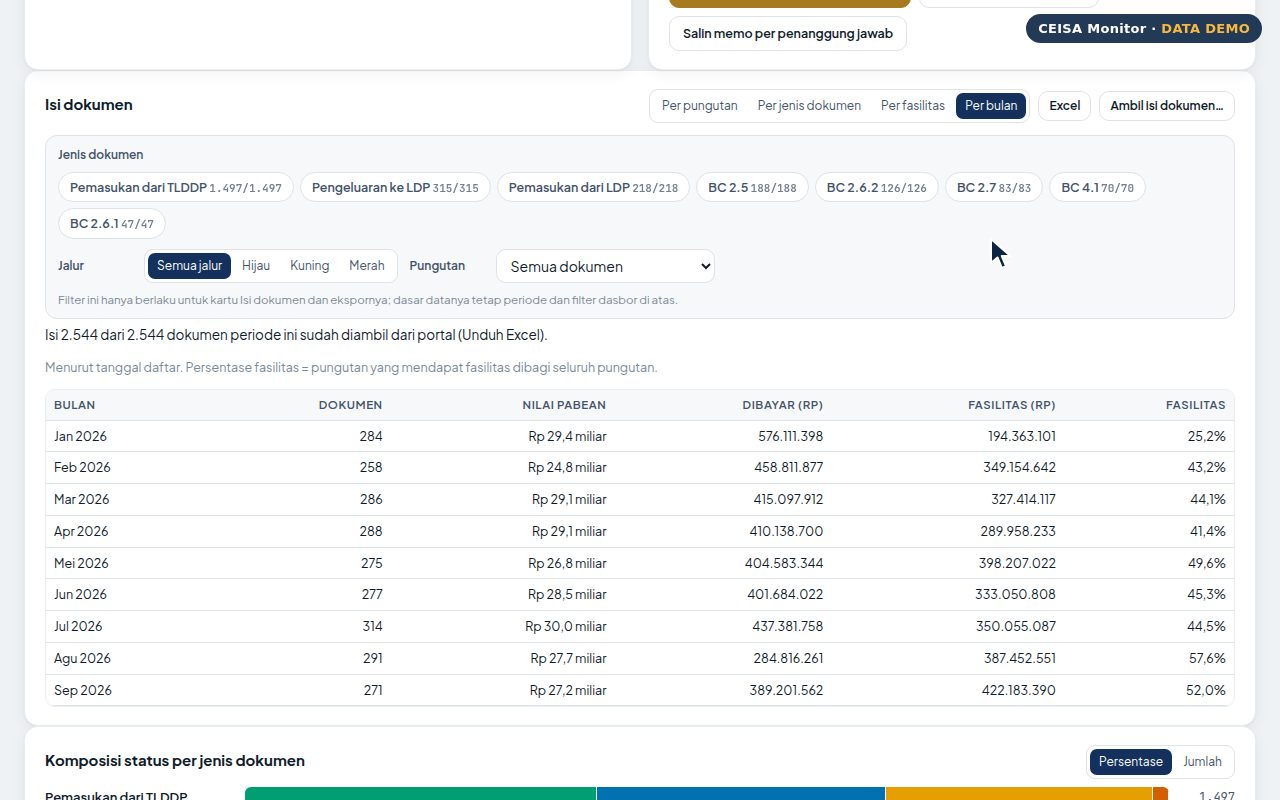
Monthly duty recap
Duties paid and duties under facilities per month, with the facility utilisation rate.
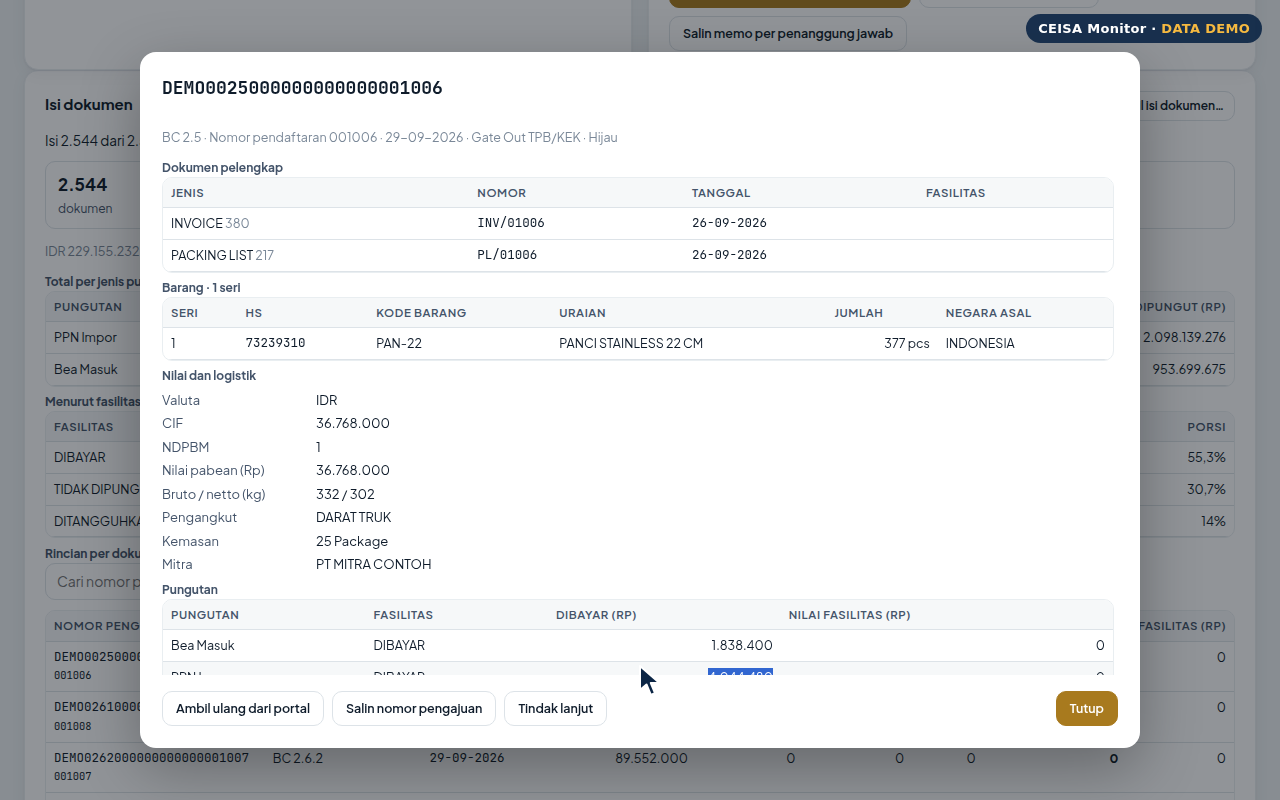
Submission file card
Supporting documents, goods, values, duties and guarantees from the portal's Excel download, in one click.
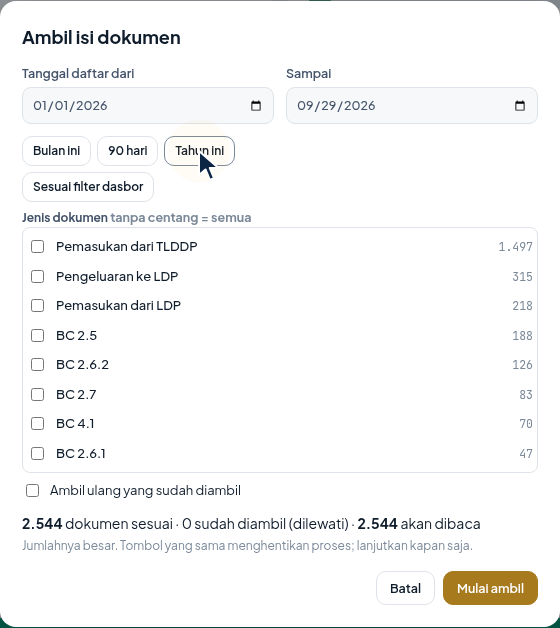
Fetch document contents
Choose a date range and document types; the summary shows how many will be read and the estimated time.
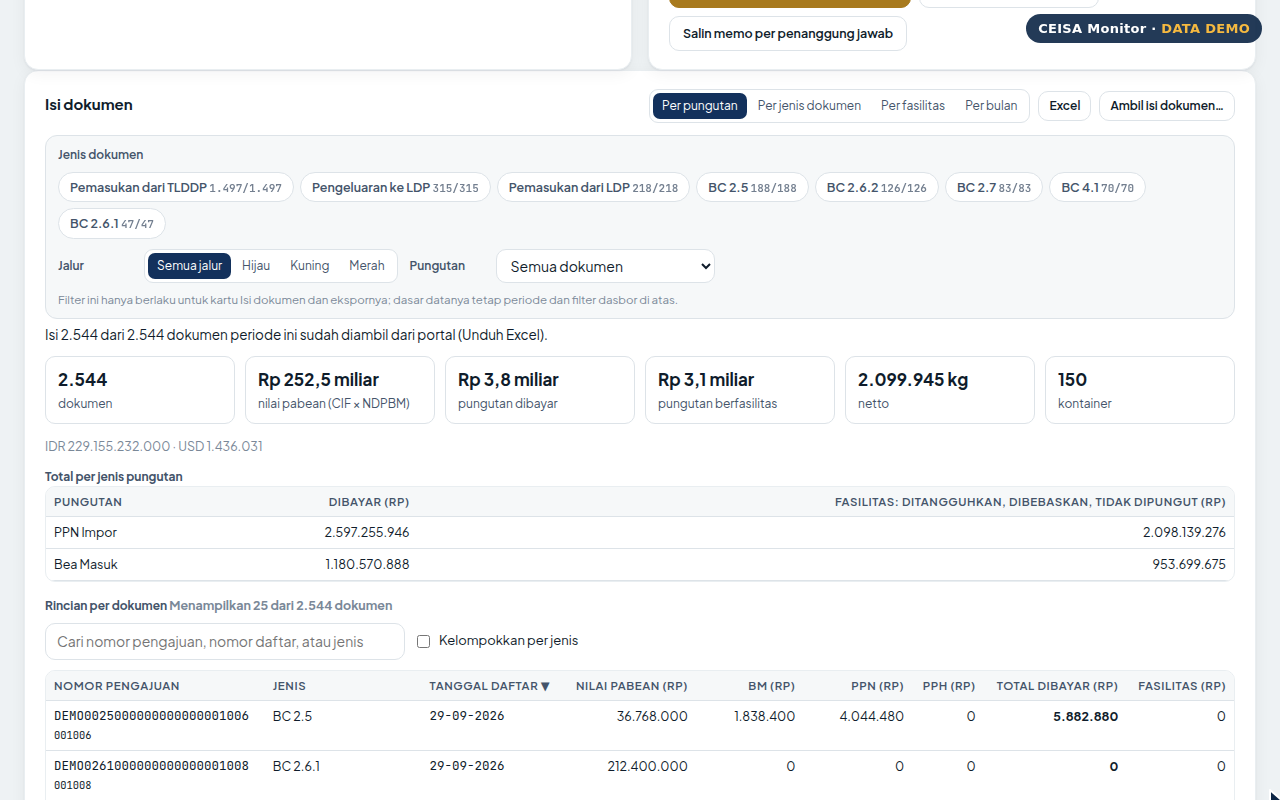
Values and duties per document
Customs value, import duty, VAT, income tax, total paid and facility per document, searchable and sortable. Excel export by period and document type.
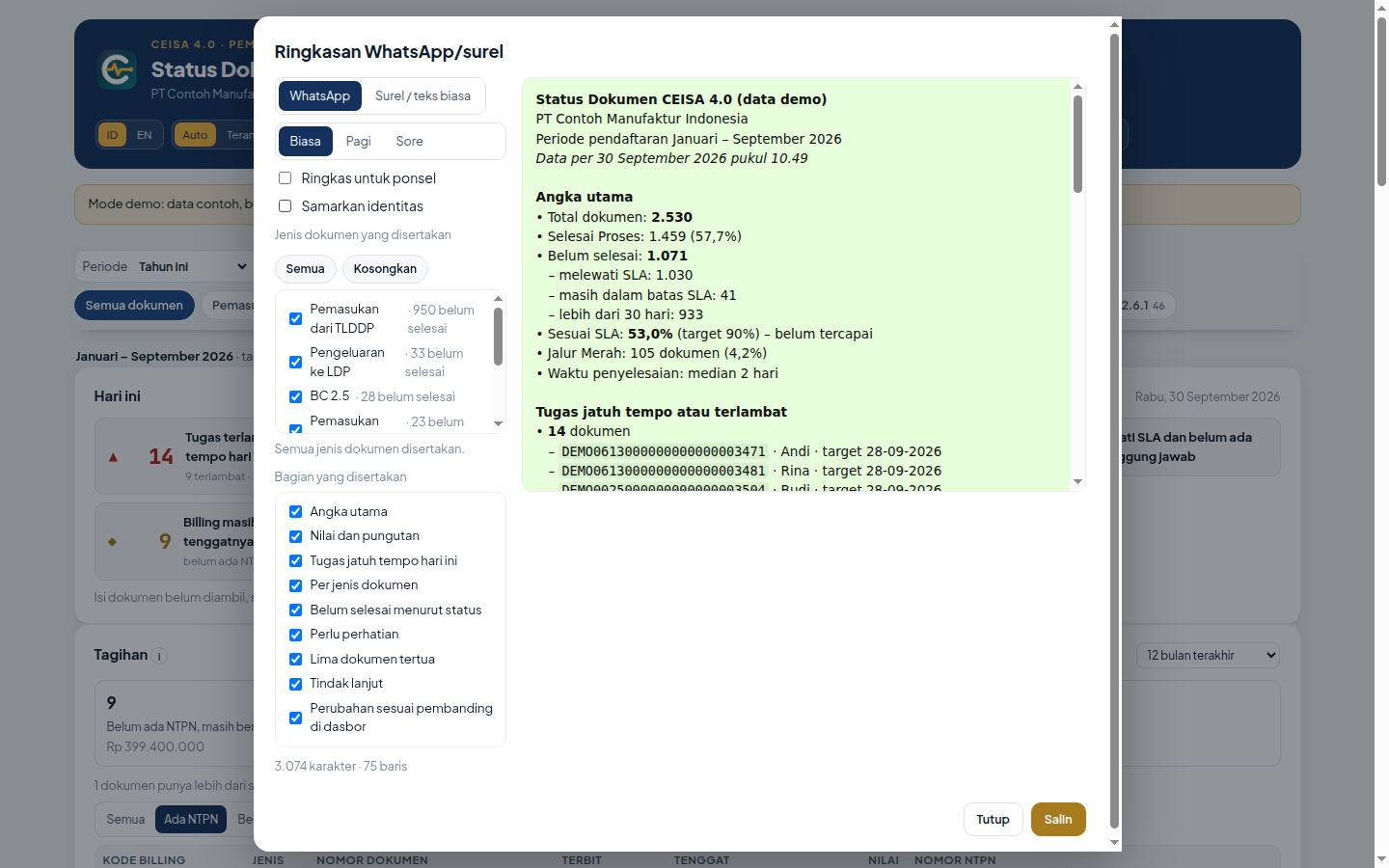
WhatsApp summary
Key figures, values and duties, and today's tasks; choose Morning or Evening and a compact mode for phones.
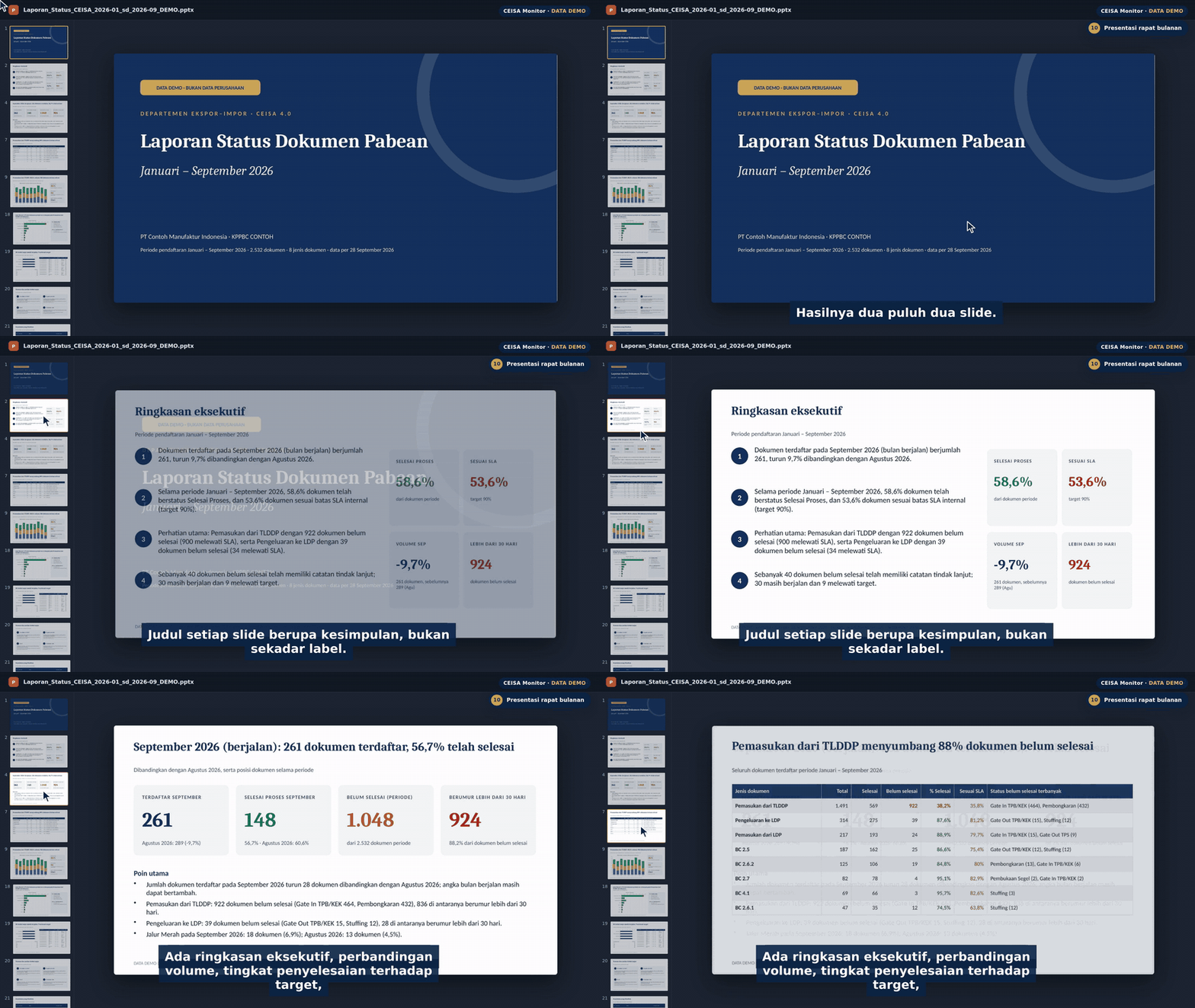
Meeting deck
26 slides (or a 9-slide executive version) with conclusion-style titles, key points, values and duties, and appendices, built in seconds.
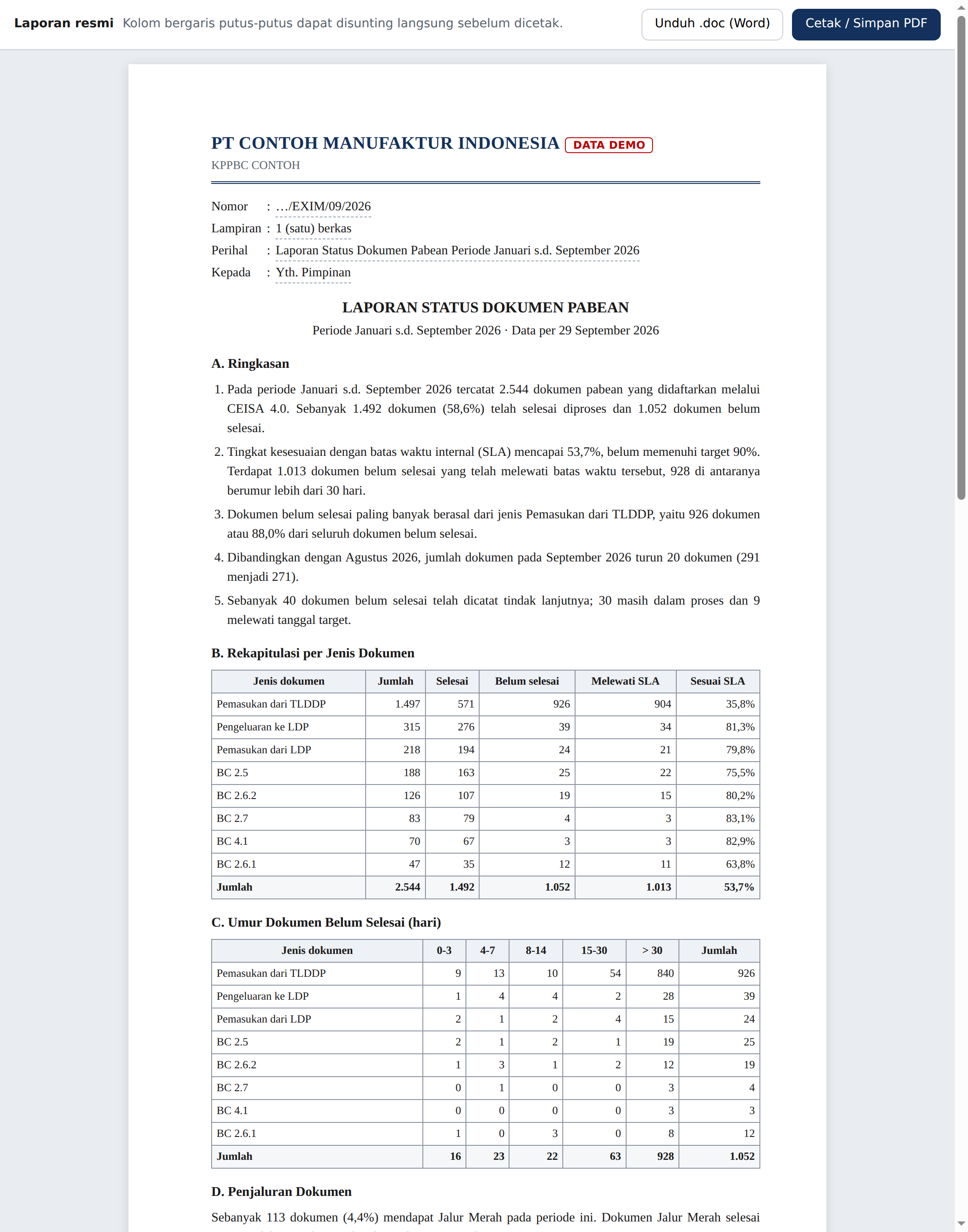
Official A4 report
Letterhead, number, subject, narrative summary and approval sheet; PDF or Word.
 CEISA Monitor